
Why use Markdown (.md) for your CV — and how to convert it to PDF or Word
Markdown is a simple plain-text format using a .md file extension. Writing your CV in a .md file keeps your content portable, easy to edit in any text editor, and ready to convert to a clean ATS-friendly PDF or Word (.docx) in seconds. This guide explains what Markdown is, why it suits CVs well, and how to turn a .md file into the formats employers expect.
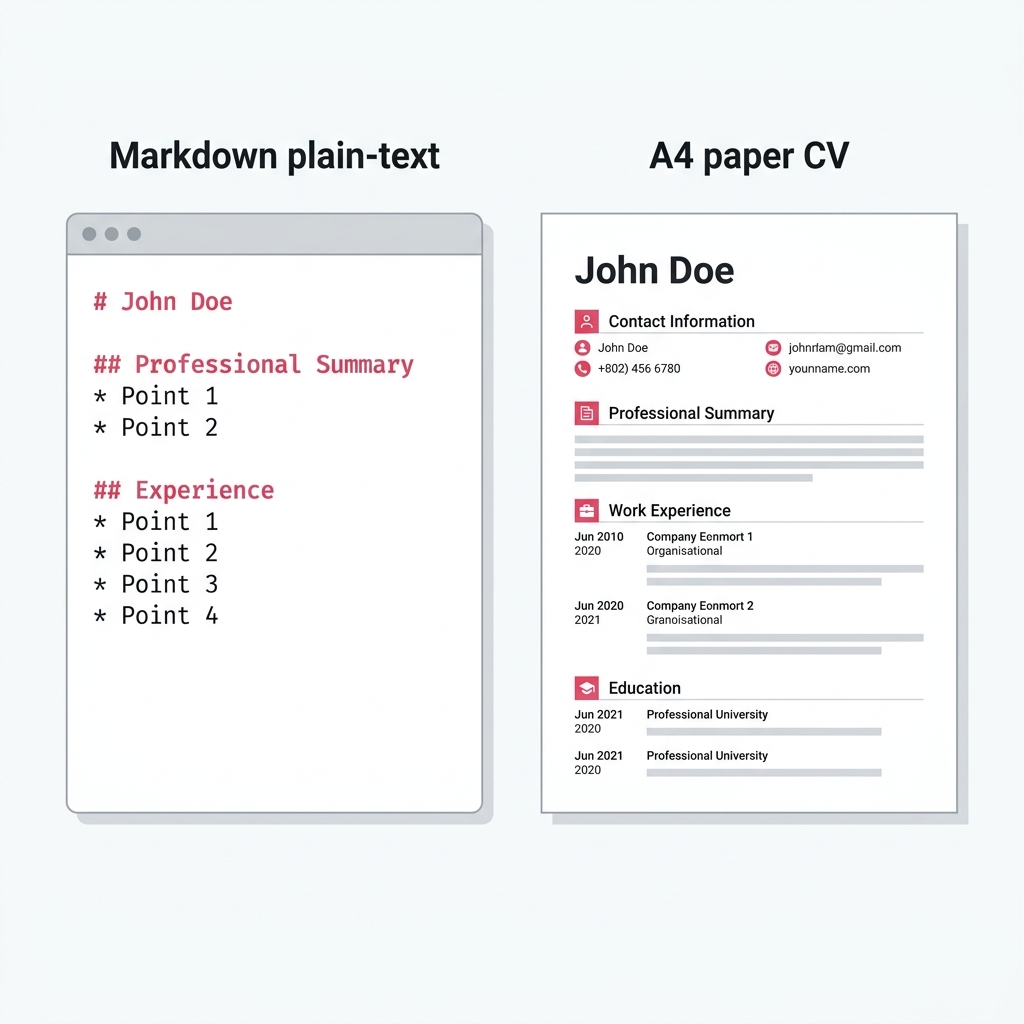
What is Markdown?
Markdown is a lightweight markup language. You write plain text and add simple symbols to apply formatting: a hash symbol (#) at the start of a line makes a heading, a hyphen (-) starts a bullet point, and wrapping words in double asterisks (**like this**) makes them bold.
Files saved with a .md extension can be opened in any text editor — Notepad, VS Code, Vim, or any other — and the raw text is always clean and readable. Tools like CVEngine convert the .md content into a formatted PDF or Word document on demand.
Why Markdown works well for CVs
- Plain text, no lock-in. A Word document stores formatting in a proprietary format. A
.mdfile is just text — you can open it in any editor on any operating system without needing a specific application. - Easy to edit and version control. Because it is plain text, you can track changes to your CV in Git just like code. Each application version can be a commit, and you can compare any two versions to see exactly what changed.
- One source, multiple outputs. The same
.mdfile can produce a PDF for job applications, a Word document for systems that require .docx, or a web page. You update the content once and re-export in whichever format you need. - Keeps the focus on content. When writing in Word, it is easy to spend time adjusting margins and fonts instead of improving what you say. Markdown removes those distractions — you write content, and the tool handles presentation.
- ATS-friendly by nature. Markdown-generated PDFs are text-based and single-column by default. They parse well in applicant tracking systems because there are no complex layouts, text boxes, or image-embedded content.
Basic Markdown syntax for a CV
You only need a small subset of Markdown to write a complete CV. Here is what each element produces:
# Your NameLarge heading — use for your name at the top## ExperienceSection heading — use for major sections### Job TitleSubsection heading — use for role titles- Bullet pointList item — use for responsibilities**Bold text**Bold — use for key skills or employersPlain paragraphNormal text — use for summariesReady-made Markdown sections — Work Experience, Education, Skills, and Summary — are available in the CV snippets library. Copy a snippet, paste it into the editor, and fill in your own details.
A simple Markdown CV structure
A typical Markdown CV follows this pattern from top to bottom:
- # Your Full Name — followed by email, phone, and optionally location on the next lines.
- ## Summary — 2–3 sentences about your background. Tailor this to each role.
- ## Experience — Each role as an H3 heading, with dates, then bullet points for what you did and achieved.
- ## Education — Degree, institution, graduation year, and any relevant distinctions.
- ## Skills — A concise list of tools, technologies, or competencies relevant to the role.
Who uses Markdown for their CV?
Markdown CVs are popular with software developers and engineers who already write documentation in Markdown daily. It is also well suited to technical writers, data scientists, and anyone who stores personal projects in Git and wants their CV to live alongside them in the same repository.
That said, you do not need to be technical to use Markdown. If you can type and follow simple rules, you can write a Markdown CV. The syntax takes around five minutes to learn, and once you know it, editing and tailoring your CV becomes significantly faster than working inside a word processor.
Convert a .md file to ATS-ready PDF or Word
Write or paste your Markdown into CVEngine's editor, or upload your .md file directly. Preview how it looks live, then download either a single-column PDF optimised for ATS or a Word .docx file — both from the same Markdown source. No signup, no account. Convert your .md file with CVEngine, learn about Markdown to PDF, or Markdown to Word.