
How to match your CV to a job description
Sending the same CV to every job is one of the most common mistakes applicants make. Recruiters can tell when a CV is generic, and applicant tracking systems score resumes against the specific language in the job posting. Tailoring your CV to each role significantly improves both your ATS score and your chances of being shortlisted. This guide explains how to do it efficiently without rewriting your CV from scratch every time.
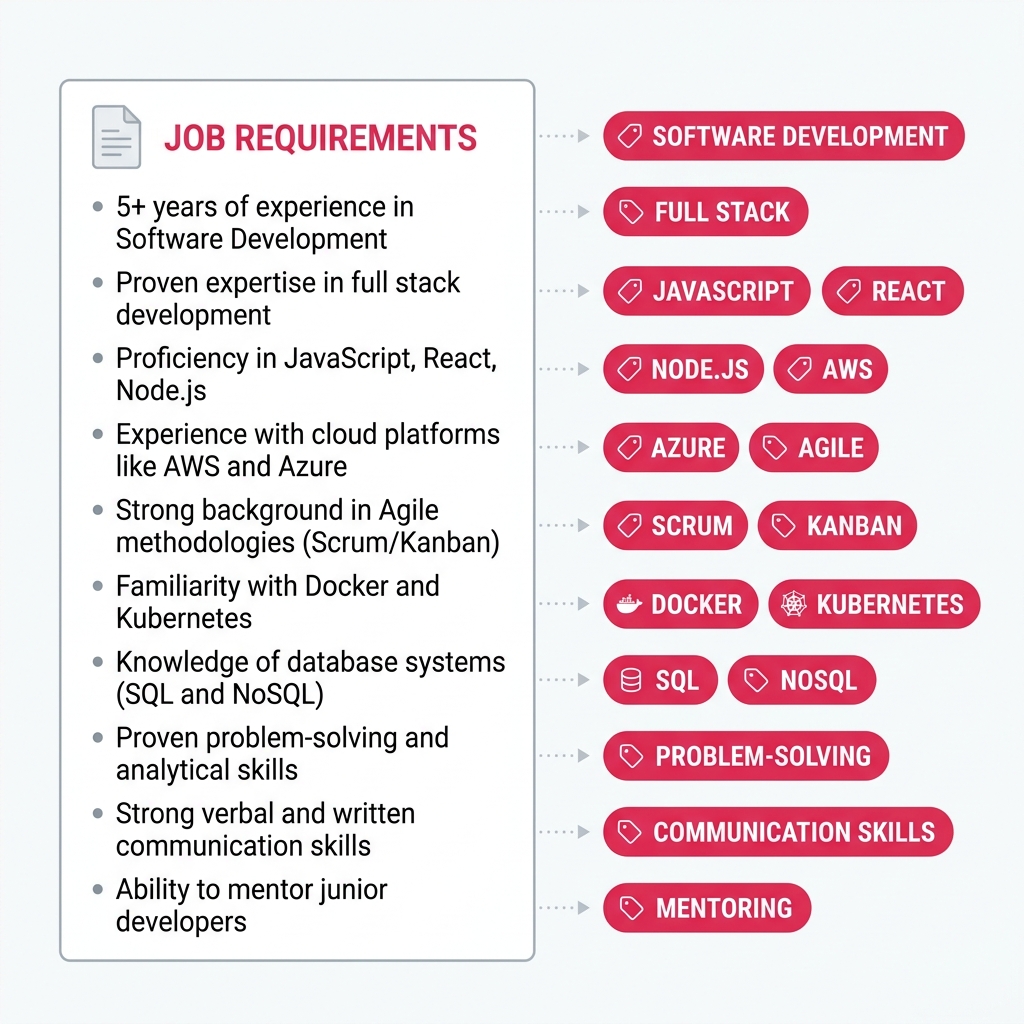
Why tailoring matters
Most larger employers use an applicant tracking system (ATS) to filter applications before a recruiter reviews them. The ATS compares the language in your CV against the language in the job description and scores the match. A CV that uses different terminology to describe the same skills — even if the candidate is well qualified — may score lower than a weaker candidate whose CV mirrors the job ad more closely.
Beyond ATS, human reviewers respond to CVs that feel relevant. A recruiter who reads ten CVs in an hour will spend more time on the one that clearly addresses the job's requirements than the one that reads like a general history of someone's career.
Step 1: Read the job description carefully
Before editing your CV, read the job description twice. The first time, read it for overall understanding. The second time, mark or note:
- Required skills and qualifications — anything listed as "must have" or in the essential requirements section
- Preferred skills — listed as "nice to have" or desirable, which are worth adding where you genuinely have them
- Specific tools, languages, or systems — exact names matter (e.g. "Salesforce" not just "CRM software")
- Recurring phrases — if a term appears multiple times, it is important to the employer
- The tone and level — is this a senior strategic role or a hands-on technical position? The language of your bullets should match
Step 2: Add keywords naturally to your CV
Work the job's key terms into your experience and skills sections using natural language. The goal is not to copy-paste phrases from the job description — it is to use the same vocabulary to describe what you genuinely did.
For example, if the job asks for "cross-functional stakeholder management" and your previous role involved coordinating between engineering, design, and product teams, a bullet like "Coordinated cross-functional stakeholders including engineering and design to deliver quarterly releases on schedule" naturally includes the term while staying accurate.
A few rules to follow:
- Only include skills and experience you actually have — misrepresentation will be discovered at interview.
- Spell out acronyms once — write "Agile (Scrum)" so both the full term and abbreviation are present.
- Where the job uses a specific tool name, use that name rather than a generic category (e.g. "Figma" rather than "design software").
- Update your professional summary to reflect the specific role and what you bring to it.
Step 3: Check for gaps with a keyword checker
Once you have updated your CV, paste both the job description and your CV text into a keyword checker. It will show you which key terms from the job ad appear in your CV and which are missing. This lets you quickly identify gaps without reading through both documents manually.
CVEngine's keyword checker runs entirely in your browser — paste both texts and get instant feedback. For each missing term, decide whether you can add it honestly. If you can, add it in context. If the skill genuinely does not apply to your background, leave it out.
Step 4: Reorder and emphasise what matters most
Keyword matching is only part of tailoring. You should also consider the order and emphasis of your content.
- Move your most relevant experience to the top of each role's bullet list so recruiters see it immediately.
- If you have a skills section, put the skills most relevant to this specific role first.
- If the job is in a different field or at a different level from your most recent role, consider adding a brief summary at the top that directly addresses the match.
- Remove or shorten bullets about responsibilities that are not relevant to this role — this keeps the CV focused and concise.
Keep a master CV and tailor per application
The most efficient approach is to maintain one master CV in Markdown with your complete history — all roles, all skills, all detail. For each application, duplicate the file, remove or trim sections that are not relevant, add the specific keywords from the job description where they fit, and export a fresh PDF or Word file.
CVEngine's editor and live preview make this quick: paste your master CV, adjust the content, and download a new PDF in under a minute. No reformatting, no fighting with layout — just update the Markdown and export. Build and tailor your CV with CVEngine.